Cutting plotter software that simply works.
SmartCut 2026 opens CorelDRAW (CDR) and Adobe Illustrator (AI) files directly, also imports DXF, SVG, PDF and EPS, detects registration marks automatically and optimises the cutting order for minimal material feed - for sign makers, vinyl cutters and hobby crafters.
Everything you need for cutting
From importing files to the finished cutting job.
Open CorelDRAW & Illustrator files directly
Open CorelDRAW (CDR) and Adobe Illustrator (AI) files without exporting first - including fill and outline colours. Plus DXF, SVG, PDF and EPS.
Registration marks
Automatic registration marks for multi-coloured stickers - colour layers that line up exactly.
Optimised cutting order
Automatically minimises material feed - saves material and time on every job.
Blade offset correction
Automatically compensates for the offset of the cutting blade - precise corners and curves.
Colour separation
Automatically split multi-coloured designs into separate cutting layers.
Text creation
Create and cut text directly in SmartCut - with system and Type 1 fonts.
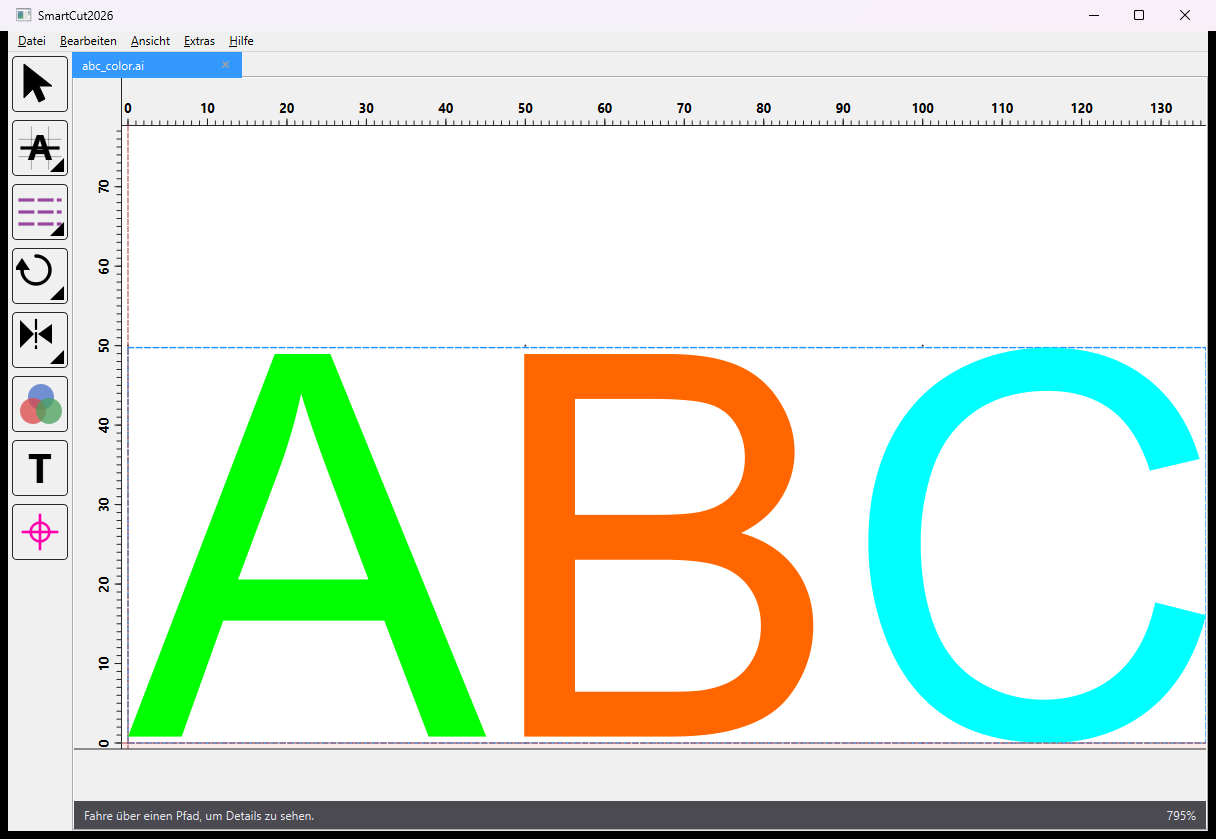
This is what SmartCut 2026 looks like
A look at the editing interface.
SmartCut 2026 in action
A short introductory video is coming soon.
Product video coming soon
Simple, fair pricing
Try free for 14 days, then choose monthly or yearly billing.
Monthly
8.99 € / month
Renews automatically via PayPal. Cancel at any time.
Yearly 10% cheaper
97.09 € / year
One-off payment for 12 months.